En bref : cette fiche de référence sur XPath couvre la syntaxe, les prédicats, les axes et les fonctions dont vous avez réellement besoin pour le web scraping, ainsi qu’un tableau de conversion CSS-XPath et des exemples fonctionnels avec Puppeteer et Scrapy. Utilisez-la comme guide de référence la prochaine fois qu’un sélecteur CSS cessera subitement de fonctionner sur un site dont vous dépendez.
Introduction
Vous êtes ici parce qu’un sélecteur a cessé de fonctionner, qu’une mise en page a changé, ou qu’un membre de votre équipe vous a dit « utilise simplement XPath » et que vous voulez l’intégrer à une page. C’est tout à fait compréhensible. Cette fiche de référence XPath est conçue pour ce genre de situation : un développeur de scraper en plein projet qui a besoin de syntaxe, d’exemples et de quelques règles de résilience sans avoir à parcourir un tutoriel.
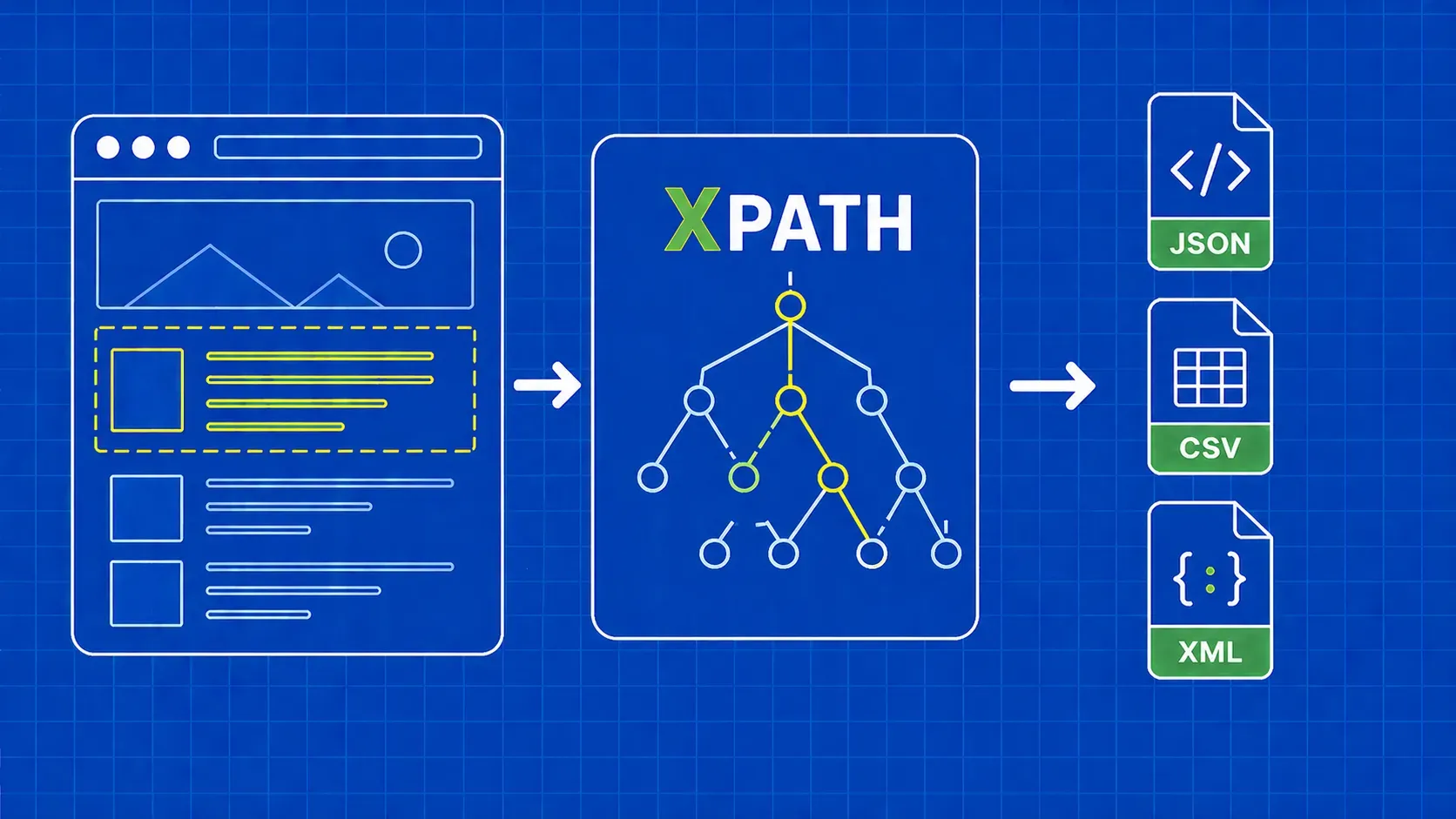
XPath, abréviation de XML Path Language, est un langage de requête qui utilise des expressions de type chemin pour naviguer dans les documents XML et de type XML, y compris le HTML. Dans un contexte de scraping, cela vous offre quelque chose que les sélecteurs CSS ne peuvent pas faire : la possibilité de remonter l’arborescence, d’effectuer des correspondances par texte visible et d’enchaîner des conditions comme une petite logique de prédicats. Nous aborderons la syntaxe de base, les prédicats, les axes, les fonctions les plus utiles, les tests côté navigateur, une table de conversion CSS-XPath, ainsi que deux courts exemples pratiques dans Puppeteer et Scrapy que vous pouvez intégrer dès aujourd’hui à un projet. À la fin, vous devriez être capable de lire un fragment HTML, d’écrire un sélecteur qui résiste à de légères modifications du DOM, et de le vérifier avant de le déployer.
Qu'est-ce que XPath et pourquoi est-ce important pour le web scraping ?
XPath est le langage de chemin XML : une syntaxe de requête qui parcourt l'arborescence du document à l'aide d'expressions de type chemin pour identifier les nœuds. Les navigateurs exposent le DOM HTML sous la forme d'une arborescence de type XML, ce qui explique pourquoi XPath fonctionne pour le web scraping même si le HTML n'est pas du XML strict. C'est un élément central de la norme XSLT et il est présent dans les outils XML et la plupart des piles de scraping.
Alors pourquoi les développeurs de scrapers s'y intéressent-ils ? Pour trois raisons. Premièrement, XPath peut se déplacer à la fois vers le haut et vers le bas de l'arborescence, tandis que les sélecteurs CSS ne vont que vers le bas et latéralement. Deuxièmement, il peut faire correspondre des nœuds en fonction de leur texte visible, ce qui est inestimable lorsque les classes sont aléatoires mais que les étiquettes sont stables. Troisièmement, il vous permet d'enchaîner des conditions dans une seule expression. Cette fiche de référence XPath couvre toutes les primitives dont vous avez besoin pour utiliser ces capacités en production.
Comment XPath appréhende une page : chemins, nœuds et étapes
Une expression XPath est un chemin composé d'étapes. Chaque étape comporte un axe (la direction à suivre), un test de nœud (le type de nœud à trouver) et zéro ou plusieurs prédicats (filtres entre crochets). La plupart du temps, l'axe est implicite car child:: est la valeur par défaut, ce qui explique pourquoi des formes abrégées comme //div/span fonctionnent.
Prenons //div[@class='quote']/span[1]. Le // est une forme abrégée de l' descendant-or-self:: axe, ce qui se lit donc comme suit : trouver tout div dont l’ class attribut est égal à quote, puis prendre le premier span enfant. Il y a trois types de nœuds qui vous intéressent : les nœuds d'élément (div, span), les nœuds d'attribut (@class, @href) et les nœuds de texte accessibles via text(). Les prédicats utilisent un indexage à partir de 1, donc [1] est la première correspondance, et non la deuxième.
Testez les expressions XPath en direct dans votre navigateur
Avant d'écrire la moindre ligne de code de scraper, vérifiez que l'expression fonctionne dans le navigateur. Deux workflows couvrent la couche de test de l'aide-mémoire.
Ctrl+F (Cmd+F) dans le panneau Éléments. Ouvrez DevTools dans Chrome ou Firefox, cliquez sur l'onglet Éléments, puis appuyez sur Ctrl+F ou Cmd+F. La barre de recherche accepte les sélecteurs CSS et les expressions XPath, et la page met en surbrillance chaque correspondance dans l'arborescence DOM avec un compteur du type « 3 sur 12 ». C'est le moyen le plus rapide de tester la sélectivité.
L' $x() assistant de console. Passez à l'onglet Console et exécutez $x("//div[@class='quote']"). L'assistant renvoie les correspondances sous forme de tableau JavaScript, ce qui vous permet d'approfondir l'analyse avec $x("//a/@href").length. Selon la documentation actuelle des éditeurs, $x() est fourni avec les DevTools basés sur Chromium et les DevTools de Firefox, mais vous devriez vérifier sa compatibilité avec la version de votre navigateur cible. Comme l'indique un article technique, il s'agit d'« un excellent exercice pour tester vos expressions avant de passer du temps sur votre éditeur de code et sans mettre à rude épreuve le serveur du site ».
Pour une référence plus approfondie sur le langage lui-même, la documentation MDN sur XPath constitue le point de départ le plus fiable.
XPath vs sélecteurs CSS : un cadre de décision rapide
Les sélecteurs CSS sont généralement plus courts et plus faciles à lire, c'est pourquoi de nombreux développeurs considèrent le CSS comme la norme et ne se tournent vers XPath que lorsque le CSS ne permet pas d'exprimer la requête. Ce point de vue est une opinion, pas une référence, mais il correspond à la façon dont la plupart des bases de code en production évoluent. La règle d'or est la suivante : choisissez le sélecteur le plus simple qui résiste à une petite modification du DOM.
Utilisez ce tableau pour trancher dans notre débat sur les sélecteurs XPath vs CSS :
|
Situation |
Choix |
|---|---|
|
Stable |
CSS |
|
Nécessité de remonter vers un parent ou un ancêtre |
XPath |
|
Correspondance par contenu textuel visible |
XPath |
|
|
Dans tous les cas, le CSS est plus court |
|
Conditions multiples sur un seul élément |
XPath (chaînes de prédicats) |
|
Une ligne rapide pour une structure connue |
CSS |
|
Balises profondément imbriquées ou irrégulières |
XPath |
Les sélecteurs CSS n'ont pas de parent:: direction et ne peuvent pas filtrer sur du texte ; par conséquent, tout modèle du type « cliquer sur la ligne contenant « Active » » relève naturellement du domaine de l'XPath.
Aide-mémoire XPath de base : les fondamentaux de la syntaxe
Ce sont les éléments de base sur lesquels s'appuient toutes les autres sections de cette fiche de référence XPath. Une expression XPath comporte au minimum un nom de balise, éventuellement un attribut, et éventuellement une valeur pour cet attribut. Les prédicats et les fonctions s'ajoutent par-dessus.
|
Symbole |
Signification |
Exemple |
Se lit comme |
|---|---|---|---|
|
|
Sélectionne à partir du nœud racine |
|
Le |
|
|
Abréviation « descendant ou soi-même » |
|
Tout |
|
|
Nœud actuel |
|
Un |
|
|
Parent du nœud actuel |
|
L'élément parent de n'importe quel |
|
|
Sélecteur d'attribut |
|
L' |
|
|
Tout nœud d'élément |
|
Tout élément enfant de n'importe quel |
|
|
Balise filtrée par égalité d'attribut |
|
Tout |
|
`expr1 \ |
expr2` |
Union de deux expressions |
`//h1 \ |
//h2` |
Toutes |
Un modèle mental utile : / vous ancrent quelque part, le nom de la balise désigne l'étape, le prédicat filtre l'étape. La syntaxe XPath la plus robuste dans les scrapers réels est une chaîne de prédicats d'attributs séparés par /, et non un chemin positionnel à partir de la racine.
Prédicats : filtrage par index, attribut et condition
Les prédicats sont les conditions entre crochets qui transforment une étape générique en une étape précise. Ils peuvent être enchaînés et sont évalués de gauche à droite. N'oubliez pas que les prédicats XPath sont indexés à partir de 1, donc //li[3] le troisième li, et non le quatrième.
Modèles courants que vous réutiliserez :
|
Prédicat |
Fonction |
|---|---|
|
|
Le n-ième élément correspondant. |
|
|
La dernière correspondance. |
|
|
Les trois premières correspondances. |
|
|
Égalité exacte des attributs. |
|
|
Correspondance de sous-chaîne sur un attribut. |
|
|
Correspondance de préfixe sur un attribut. |
|
|
Négation de n'importe quel prédicat. |
|
|
Conditions multiples sur un élément. |
Vous pouvez enchaîner des prédicats : //div[@class='quote'][position()<=5] donne les cinq premières citations. Pour approfondir le choix entre les chaînes de prédicats et les pseudo-classes CSS, consultez notre article complémentaire sur les sélecteurs XPath vs CSS.
Axes : parcourir le DOM vers le haut, vers le bas et latéralement
C'est là que XPath prend le dessus sur CSS. Un axe indique la direction à suivre à partir du nœud de contexte, et la forme explicite axis::node-test permet des mouvements impossibles en CSS. Cette page de l'aide-mémoire XPath consacre une section à part entière aux axes XPath, avec un exemple de scraping par ligne.
|
Axe |
Ce qu'il renvoie |
Exemple de scraping |
|---|---|---|
|
|
Enfants directs (l'axe par défaut) |
|
|
|
Tous les descendants |
|
|
|
La |
|
|
|
Le parent immédiat |
|
|
|
Chaque ancêtre jusqu'à la racine |
|
|
|
Idem, plus le nœud lui-même |
Pratique lorsque la correspondance peut être le conteneur ou un enfant. |
|
|
Les frères et sœurs après ce nœud |
|
|
|
Frères et sœurs avant ce nœud |
|
|
|
Attributs du nœud ( |
|
|
|
Le nœud actuel |
Utilisé dans les prédicats : |
Les deux que vous utiliserez constamment sont ancestor:: et following-sibling::. following:: et preceding:: axes existent également, mais sont rarement nécessaires.
Caractères génériques et tests de nœuds
Les caractères génériques assouplissent le test de nœud d'une étape, ce qui est utile lorsque les balises diffèrent mais que la structure reste la même.
|
Token |
Correspondances |
|---|---|
|
|
Tout nœud élément. |
|
|
Tout nœud d'attribut. |
|
|
n'importe quel nœud, y compris le texte et les commentaires. |
|
|
Nœuds de texte uniquement. |
|
|
Commentaires HTML, parfois utiles pour le scraping basé sur des balises. |
La distinction essentielle : //div/* ignore le texte et les commentaires, tandis que //div/node() les inclut. Optez pour text() lorsque vous souhaitez spécifiquement des chaînes de caractères.
Fonctions XPath essentielles pour le scraping
Les fonctions à l'intérieur des prédicats vous permettent de gérer le code HTML complexe du monde réel : espaces superflus, noms de classes dynamiques, différences de casse et comptages. Ces fonctions XPath couvrent environ 95 % des cas de scraping.
Fonctions de chaîne
|
Fonction |
Exemple |
Cas d'utilisation |
|---|---|---|
|
|
|
Rechercher des noms de classes dynamiques ou composés. |
|
|
|
Filtrer les liens internes vers des produits. |
|
|
|
XPath 2.0 uniquement. Dans XPath 1.0, utilisez |
|
|
|
Supprimer les espaces avant de comparer le texte. |
|
|
|
Convertir en minuscules pour une correspondance insensible à la casse. |
|
|
|
Extraire une partie de la valeur d'un attribut. |
Fonctions numériques et de nœuds
|
Fonction |
Exemple |
Cas d'utilisation |
|---|---|---|
|
|
|
Nombre de lignes sur une page de résultats. |
|
|
|
Sélectionner les nœuds à indice pair. |
|
|
|
Le dernier élément, quelle que soit la longueur. |
|
|
|
Filtrer dynamiquement par balise. |
|
|
|
Ignorer les entrées désactivées. |
Pour les sorties contenant uniquement des attributs, un appel de type fonctionnel tel que string(@href) vous garantit d'obtenir la valeur sous forme de chaîne de caractères, et non le nœud d'attribut, ce qui est important dans certains scrapers lors de l'enchaînement vers une étape d'expression régulière ou de troncature.
Tableau de conversion rapide CSS vers XPath
Si votre équipe raisonne en CSS parce que vous venez de BeautifulSoup ou de Cheerio, ce tableau constitue une aide à la migration rapide. Les équivalents de l'aide-mémoire XPath ne sont pas toujours plus courts, mais ils sont toujours plus expressifs.
|
CSS |
XPath |
|---|---|
|
|
|
|
|
|
|
|
|
|
|
|
|
|
|
|
|
|
|
|
|
|
|
|
|
|
|
|
|
|
|
|
|
|
|
|
|
|
|
Le concat(' ',normalize-space(@class),' ') modèle peut paraître peu élégant, mais c'est le moyen le plus sûr d'imiter la sémantique des classes CSS dans XPath, car XPath 1.0 ne dispose pas d'opérateur natif de type « token dans une liste séparée par des espaces ». Pour un guide comparatif organisé par fonctionnalité CSS, consultez notre aide-mémoire sur les sélecteurs CSS.
Exemple pratique : extraction de données avec Puppeteer et Scrapy
Pour prouver que la même expression fonctionne sur plusieurs piles, voici deux petits scrapers qui accèdent à quotes.toscrape.com et extraient chaque citation ainsi que son auteur. Nous avons vérifié dans DevTools que //div[@class='quote'] correspond à environ dix citations sur la page d'accueil au moment de la rédaction, ce qui correspond à ce qu'affiche la page rendue.
Puppeteer (Node.js). Initialisez le projet avec npm init -y et npm install puppeteer, puis placez ceci dans index.js. Notez que les versions récentes de Puppeteer ont évolué vers des API de localisation, donc vérifiez page.$x la version de votre package.json.
import puppeteer from 'puppeteer';

const browser = await puppeteer.launch();
const page = await browser.newPage();
await page.goto('https://quotes.toscrape.com/');

const rows = await page.$x("//div[@class='quote']");
const out = [];
for (const row of rows) {
  const text = await row.$eval("span[@class='text']", el => el.textContent);
  const author = await row.$eval("small[@class='author']", el => el.textContent);
  out.push({ text, author });
}
console.log(out);
await browser.close();
Scrapy (Python). À l'intérieur d'un spider, response.xpath accepte les mêmes expressions et expose .get() et .getall() pour l'extraction de valeurs uniques et multiples.
def parse(self, response):
    for q in response.xpath("//div[@class='quote']"):
        yield {
            "text": q.xpath(".//span[@class='text']/text()").get(),
            "author": q.xpath(".//small[@class='author']/text()").get(),
        }
D'après les retours de la communauté, Cheerio et Beautiful Soup ne prennent pas directement en charge XPath ; ainsi, Scrapy ou lxml constituent la combinaison Python habituelle, tandis que Puppeteer ou Playwright sont les équivalents JavaScript. Vérifiez les versions installées avant de vous standardiser sur l'une ou l'autre. Pour un guide complet du projet, nos guides Scrapy et Puppeteer couvrent la configuration, la planification et le câblage des proxys.
Conseils pour écrire du code XPath résilient dans les scrapers de production
Cinq règles clôturent cette fiche pratique, apprises à la dure par des robots qui se sont plantés à 3 heures du matin :
- Évitez les chemins absolus commençant par
/html/body/.... Ils tombent en panne dès le premier changement de mise en page effectué par un concepteur. - Préférez les prédicats d'attribut aux indices de position dès qu'un
classoudata-*. - Encadrez les comparaisons de texte dans
normalize-space()afin que les espaces en début et en fin de ligne ne puissent pas compromettre discrètement les vérifications d'égalité. - Utilisez
contains()pour les noms de classes dynamiques etorpour gérer les variantes connues ://a[contains(@class,'btn-primary') or contains(@class,'btn-cta')]. - Veillez à ce que les sélecteurs restent descriptifs.
//div[@class='quote']/span[@class='text']résiste mieux aux refontes que//span.
Points clés
- XPath est plus performant que CSS lorsque vous devez remonter l'arborescence, effectuer une correspondance par texte visible ou enchaîner plusieurs conditions dans un seul sélecteur.
- La syntaxe de base est concise :
/,//,.,..,@, les prédicats et l'opérateur d'union couvrent la plupart des expressions de cette fiche de référence XPath. - Les axes sont la fonctionnalité qui justifie le plus le passage de CSS à
ancestor::,following-sibling::, etpreceding-sibling::sont les trois que vous utiliserez le plus souvent. - Vérifiez chaque expression dans DevTools à l'aide de Ctrl+F ou
$x()avant de l'intégrer à un scraper. C'est plus rapide que de redéployer un spider défectueux. - Un XPath adapté à la production s'appuie sur les attributs,
contains(), etnormalize-space(), et évite soigneusement les chemins positionnels codés en dur.
FAQ
XPath fonctionne-t-il de la même manière dans Selenium, Puppeteer, Playwright et Scrapy ?
En grande partie oui, à deux exceptions près. Les quatre moteurs acceptent les expressions XPath 1.0 et renvoient les nœuds correspondants, mais les méthodes d'encapsulation diffèrent : Selenium utilise find_element(By.XPATH, ...), Scrapy utilise response.xpath(...), Playwright utilise page.locator("xpath=..."), et Puppeteer utilisait historiquement page.$x() bien que les versions récentes privilégient les API de localisation. Vérifiez la version de votre bibliothèque avant de copier-coller du code provenant de tutoriels plus anciens.
Pourquoi mon XPath fonctionne-t-il dans Chrome DevTools mais ne renvoie-t-il rien dans mon script Python ?
C'est presque toujours parce que la page affiche le contenu avec JavaScript et que votre script a récupéré le code HTML brut ; les nœuds affichés par le navigateur n'existent donc pas dans la réponse. Vérifiez-le en consultant le code source de la page via Ctrl+U plutôt que l'onglet Éléments affichés. La solution consiste à utiliser un navigateur sans interface graphique comme Playwright ou à appeler un point de terminaison JSON documenté auquel la page se connecte.
Comment écrire une correspondance XPath insensible à la casse pour du texte ou des attributs ?
XPath 1.0 ne dispose pas de la lower-case() , donc la solution courante consiste à utiliser translate() pour replier les caractères : //a[translate(text(),'ABCDEFGHIJKLMNOPQRSTUVWXYZ','abcdefghijklmnopqrstuvwxyz')='shop']. Si votre moteur prend en charge XPath 2.0 ou 3.1, lower-case() et la matches() fonction regex sont beaucoup plus propres. Testez toujours les deux branches dans le navigateur au préalable.
Comment puis-je extraire un élément dont le nom de classe change à chaque chargement de la page ?
Ancrer-se sur quelque chose de stable : un attribut comme data-id ou aria-label, un élément enfant avec une balise et un texte fixes, ou un repère parent. Si seule une partie de la classe est stable, contains(@class,'product-card') fonctionne. Lorsque même cela est dynamique, remontez jusqu'à un ancêtre stable puis redescendez : //section[@aria-label='Results']//article[1] est plus fiable que n'importe quel sélecteur basé sur une classe.
Comment sélectionner un élément en fonction du texte de l'un de ses enfants ?
Utilisez un prédicat qui filtre par le texte des descendants. Par exemple, //tr[td[normalize-space()='Active']] renvoie les lignes du tableau contenant une cellule dont le texte tronqué est égal à Active. Si vous avez besoin de la cellule correspondante plutôt que de la ligne, ancrez-vous directement sur celle-ci : //td[normalize-space()='Active']. En encapsulant les comparaisons dans normalize-space() est ce qui rend la correspondance insensible aux espaces.
Conclusion
Un bon aide-mémoire XPath ne porte pas tant sur une syntaxe exotique que sur une petite boîte à outils réutilisable que vous pouvez appliquer sous la pression des délais. Parcourez l'arborescence avec des axes lorsque le CSS est à court de possibilités, ancrez-vous sur des attributs et du texte visible plutôt que sur des chemins positionnels, et vérifiez chaque expression dans DevTools avant qu'elle ne soit intégrée à un scraper. Si vous gardez cette page ouverte pendant que vous écrivez des sélecteurs pour la semaine prochaine, les schémas resteront gravés dans votre mémoire.
XPath résout le problème d'analyse, mais pas celui de la récupération. Les véritables projets de scraping passent la majeure partie de leur temps à lutter contre les limites de débit, l’empreinte digitale et les incohérences entre le HTML rendu et le HTML brut, ce qui est exactement ce pour quoi nous avons conçu WebScrapingAPI. Pointez notre API de scraper vers n’importe quelle URL, récupérez du HTML propre et analysez-le avec les mêmes expressions XPath que celles que vous avez testées dans DevTools. De cette façon, le seul réglage de sélecteur que vous effectuez se fait côté analyseur, là où il doit être.